Structured Output in C#: Get a Typed Object from an LLM
Stop parsing free text from an LLM. Ask for a C# record with IChatClient, see the JSON schema it sends, handle bad replies and add retries. .NET 10, tested.
Prefer us on GoogleSee our reads first in Top Stories
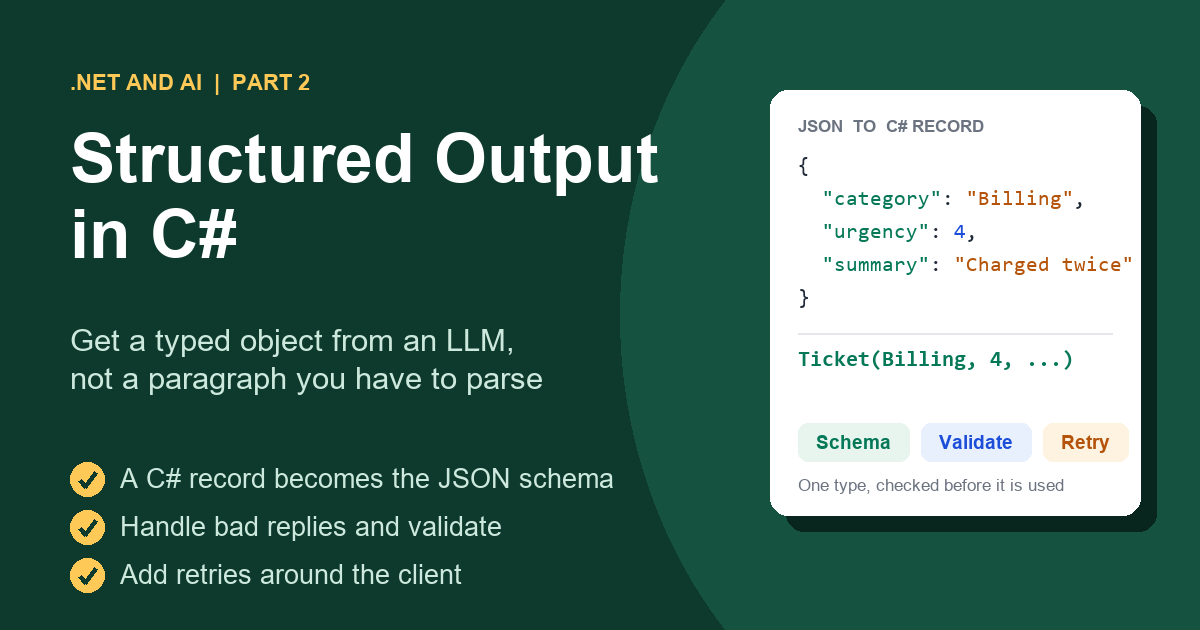
The first AI feature in many .NET apps returns a paragraph of text, and a person reads it. The second one is different: the reply has to be used by code. You want a category, a number from one to five and a one-line summary, so that you can put them in a database, sort a list or call another service. If you ask for that in plain words and then cut the answer apart with string functions, it works on the day you test it and fails on a day you do not choose.
Structured output fixes this by changing the question. Instead of asking the model to "reply in JSON" and hoping, you describe the shape you want, get a typed C# object back, and decide what happens when the reply does not fit. In this post you will do that with IChatClient from Microsoft.Extensions.AI, on .NET 10, and you will run every example without a model or a key.
This is part 2 of the series on building AI features in .NET. Part 1 introduced IChatClient and the fake client used for testing, so read it first if the interface is new to you. The examples use Microsoft.Extensions.AI 11.0.1, and the AI libraries change quickly, so check the package page for the version you install.
Why free text is a poor contract
Suppose you ask: "Classify this support message and tell me how urgent it is." One reply says "This looks like a billing problem, fairly urgent." Another says "Category: Billing. Urgency: 4/5." A third adds a friendly sentence before the answer. A person understands all three. Your code needs a rule for each, and every new rule is a place to break.
A contract is better. You say what fields exist, what type each has and which values are allowed, and anything that does not meet it is an error you can see and handle. That is what a JSON schema describes, and it is what structured output uses.
What structured output means
When you ask for structured output, the request carries a response format: a description of the JSON you expect, usually as a JSON schema. Providers that support it use that description to steer or constrain the model so the reply is JSON that matches. Your side then reads the JSON into an object.
Two things are worth knowing before you rely on it:
- Support differs between providers and models. Some enforce the schema strictly. Others only accept a looser "JSON mode", and some local models only follow the instruction loosely. The code you write stays the same, but how often a reply is valid depends on the model. Check your provider's documentation for the model you use.
- A valid shape is not a correct answer. A reply can match the schema perfectly and still say something wrong. Structured output removes parsing problems, not judgement problems.
What you need before you start
You need the .NET 10 SDK. You do not need an account, a key or a network connection, because the examples run against a scripted fake client that returns text you choose. Create a console project and add the package:
dotnet new console -n Part2 --framework net10.0
cd Part2
dotnet add package Microsoft.Extensions.AI
Describe the shape as a C# type
The shape is just a type. A record is a good fit because it is short and immutable:
using System.ComponentModel;

enum Category { Billing, Technical, Account, Other }

record Ticket(
    Category Category,
    [property: Description("1 is low, 5 needs action today")] int Urgency,
    [property: Description("One sentence, no personal data")] string Summary);
Three choices here matter more than they look.
Use an enum for fixed choices. If a field can only be one of four values, say so with an enum. The schema then lists the allowed values, which narrows what the model can return, and your code can use switch safely.
Add descriptions to the fields that need explanation. A Description attribute is copied into the schema, so the model is told what "urgency" means. Without it, Urgency could be on any scale the model likes. You will see this in the schema below.
Keep the type small. Every field is something the model can get wrong. Ask for what you will really use, not for everything you can think of.
Ask for the type with GetResponseAsync
Microsoft.Extensions.AI has a generic version of the call. You give it the type, and it asks the client for a reply in that shape and reads the result for you:
using Microsoft.Extensions.AI;

static async Task<Ticket> ClassifyAsync(IChatClient client, string text)
{
    var messages = new List<ChatMessage>
    {
        new(ChatRole.System, "Classify the support message. Reply with JSON only."),
        new(ChatRole.User, text),
    };
    ChatResponse<Ticket> response = await client.GetResponseAsync<Ticket>(messages);
    return response.Result;
}
The result is a ChatResponse<Ticket>. Its Result property is the object, already read from the reply. Your code never sees a string.
To run it without a model, use a fake client that returns a text you queue up. It is the same idea as in part 1, with one addition: it remembers the options it was given, so you can look at them.
var fake = new ScriptedChatClient(
[
    """{"category":"Billing","urgency":4,"summary":"Customer was charged twice for one order."}""",
]);

var ticket = await ClassifyAsync(fake, "I was charged twice for order 1042, please fix this today.");
Console.WriteLine($"{ticket.Category} / {ticket.Urgency} / {ticket.Summary}");
Running it prints:
Billing / 4 / Customer was charged twice for one order.
That text came from the fake, so it proves the plumbing, not the quality of a model. What it shows is that a JSON reply became a Ticket with the right enum value and number.
See what the client was actually asked for
It helps to look at the request, because that is where the contract lives. The fake stored the options it received, and the response format is a JSON format that carries a schema:
var format = (ChatResponseFormatJson)fake.LastOptions!.ResponseFormat!;
Console.WriteLine(format.Schema);
The output, formatted here over several lines, is:
{
  "$schema": "https://json-schema.org/draft/2020-12/schema",
  "type": "object",
  "properties": {
    "category": { "type": "string", "enum": ["Billing", "Technical", "Account", "Other"] },
    "urgency": { "description": "1 is low, 5 needs action today", "type": "integer" },
    "summary": { "description": "One sentence, no personal data", "type": "string" }
  },
  "required": ["category", "urgency", "summary"]
}
This is the schema built from the record, run on .NET 10 with Microsoft.Extensions.AI 11.0.1. The enum became a list of allowed strings, the descriptions came along, and every field is required. Whether a given model follows the schema strictly is up to the provider, but this is what your code asks for.
When the reply does not fit
Models sometimes ignore the instruction. Here the fake answers in plain words:
IChatClient broken = new ScriptedChatClient(["Sure! The category is billing."]);
try
{
    await ClassifyAsync(broken, "anything");
}
catch (Exception ex)
{
    Console.WriteLine($"{ex.GetType().Name}: {ex.Message}");
}
The call throws, because Result cannot read that text:
JsonException: 'S' is an invalid start of a value. Path: $ | LineNumber: 0 | BytePositionInLine: 0.
That is a good outcome. A loud, specific error at the boundary is far better than a half-read string travelling deeper into your app. If you would rather not use exceptions for this case, TryGetResult returns a boolean:
var raw = await new ScriptedChatClient(["not json"])
    .GetResponseAsync<Ticket>([new ChatMessage(ChatRole.User, "x")]);
Console.WriteLine($"TryGetResult: {raw.TryGetResult(out var parsed)} (parsed is null: {parsed is null})");
TryGetResult: False (parsed is null: True)
Use the exception when a bad reply is a bug you want to hear about, and TryGetResult when you have a clear plan for it, such as retrying or falling back to a default.
Check the rules the schema cannot express
A schema can say "integer". It cannot say "between one and five" in a way every provider enforces. So a reply can be valid JSON, match the schema and still break your own rules. Check those after reading:
static string? Validate(Ticket t) =>
    t.Urgency is < 1 or > 5 ? $"urgency {t.Urgency} is outside 1 to 5" : null;

var odd = await ClassifyAsync(
    new ScriptedChatClient(["""{"category":"Other","urgency":9,"summary":"x"}"""]), "anything");
Console.WriteLine(Validate(odd) ?? "valid");
urgency 9 is outside 1 to 5
Treat the model's output like input from a user: useful, probably fine, and never trusted without a check. Decide what a failed check means for your feature. For a ticket tool it might send the message to a person instead of guessing.
Add retries without touching your logic
Failures come in two kinds. Some are transient, such as a timeout or a rate limit. Others are bad replies, such as text that is not JSON. Both are sometimes fixed by asking again. Because every client is an IChatClient, you can add a retry once, around the client, and leave your own code alone. DelegatingChatClient is the base class for this: it forwards every call to an inner client, and you override only what you want to change.
sealed class RetryingChatClient(IChatClient inner, int maxAttempts) : DelegatingChatClient(inner)
{
    public override async Task<ChatResponse> GetResponseAsync(
        IEnumerable<ChatMessage> messages, ChatOptions? options = null,
        CancellationToken cancellationToken = default)
    {
        var list = messages.ToList();
        for (var attempt = 1; ; attempt++)
        {
            var response = await base.GetResponseAsync(list, options, cancellationToken);
            if (IsJson(response.Text) || attempt >= maxAttempts) return response;
            await Task.Delay(TimeSpan.FromMilliseconds(50 * attempt), cancellationToken);
        }
    }

    private static bool IsJson(string text)
    {
        try { using var _ = JsonDocument.Parse(text); return true; }
        catch (JsonException) { return false; }
    }
}
Test it with a client whose first reply is not JSON and whose second is:
var flaky = new ScriptedChatClient(
[
    "Here you go: billing",
    """{"category":"Billing","urgency":2,"summary":"Asks for an invoice copy."}""",
]);
IChatClient withRetry = new RetryingChatClient(flaky, maxAttempts: 3);
var second = await ClassifyAsync(withRetry, "Can I get a copy of my invoice?");
Console.WriteLine($"{second.Category} / {second.Urgency} / calls made: {flaky.Calls}");
Billing / 2 / calls made: 2
The first call returned unusable text, the wrapper asked again, and the second reply was accepted. ClassifyAsync did not change at all. The same idea carries logging, caching and rate limiting.
What to be careful about with retries
A retry is not free, and it can hide real problems.
- It costs money and time. Each attempt is another call. Keep the number of attempts small, two or three, and put a limit on total time.
- Do not retry what cannot succeed. A wrong API key or a malformed request will fail the same way every time. Retry timeouts, rate limits and invalid replies, and let the rest fail at once.
- Back off. The example waits a little longer after each attempt. For rate limits, honour the delay the provider asks for if it sends one.
- Log every retry. If a third of your calls need a second attempt, that is information about your prompt or your model, and you want to see it.
- The sample is simple on purpose. For production you may prefer a resilience library, but the pattern of wrapping a client is the same.
Things that go wrong in practice
- The model adds text around the JSON. Some models wrap the object in an explanation or a code fence. Strict schema support avoids this. If your model does not have it, a retry or a small clean-up step may be needed.
- Fields are filled with guesses. If the message does not contain the information, a required field will be made up. Make a field nullable, or add an
Unknownvalue to an enum, so "I cannot tell" is a legal answer. - A type that is too big. Long, nested types fail more often and cost more tokens. Split one large request into two small ones.
- Changing the type without changing the stored data. If you save these objects, a new field or a renamed enum value affects old rows. Version what you store.
Summary
Structured output turns an LLM call from "text I must parse" into "an object I can use". Describe the shape as a C# type, use enums for fixed choices, and add descriptions where meaning is not obvious. Ask with GetResponseAsync<T>, look at the schema it sends, and handle a bad reply with an exception or TryGetResult. Check your own rules after reading, because a valid shape can still be a wrong answer. Add retries around the client, not inside your logic, and keep them limited and visible.
Found this useful? Add The Briefed as a preferred source and our articles show up first when you search Google.
Prefer us on GoogleSomething wrong with this article?
Comments · 0